Export
FluidCAD supports exporting your model as STEP, STL, or PNG. To export:
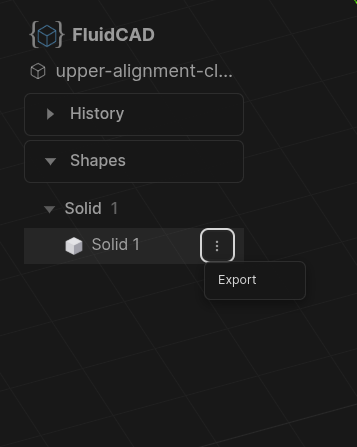
- Open the Shapes panel, click the three-dot menu on the solid you want to export, and select Export.
- In the export dialog, choose your format (STEP, STL, or PNG), toggle color inclusion, and click Export.
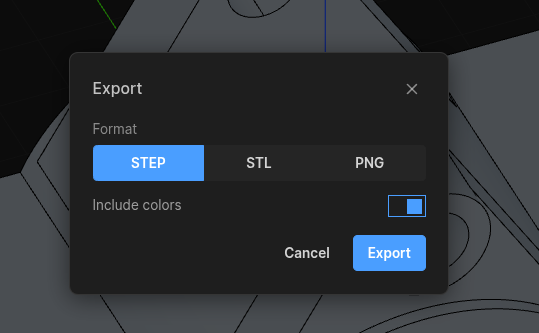
The exported file includes all geometry and color information, and can be opened in any standard CAD tool (Fusion 360, SolidWorks, FreeCAD, etc.).
From the command line
The same exports run from a terminal, which is what you want for build scripts and CI:
npx fluidcad export step                     # every shape → <entry>.step
npx fluidcad export stl --resolution fine -o parts/bracket.stl
npx fluidcad export png --view front --open
If a FluidCAD server is already running for the project, the CLI exports the scene it is showing; otherwise it starts one, renders your model, exports, and shuts down again. See the CLI Reference for shape selection, mesh resolution, and screenshot options.