Copying
copy() duplicates the entire shape in linear or circular arrangements. The original solid is cloned as-is — FluidCAD doesn't re-run any modeling operations, it just places copies of the finished shape at new positions.
Linear copy
Duplicate a shape along one axis:
import { circle, copy, extrude, sketch } from 'fluidcad/core';

sketch("xy", () => {
    circle([150, 150], 100)
})

extrude()

copy("linear", "x", {
    count: 4,
    offset: 150
})
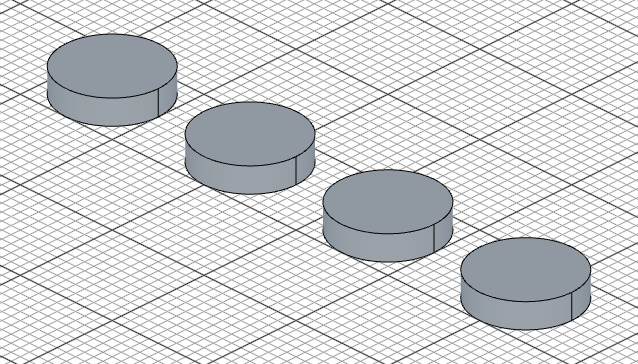
Options:
count— total number of instances (including the original)offset— spacing between each instanceskip— indices to skip (0-based)
Multi-axis linear copy
Copy along two axes at once:
copy("linear", ["x", "y"], {
    count: 4,
    offset: 150,
    skip: [[2], [1, 3]]       // skip index 2 on X, indices 1 and 3 on Y
})
When using two axes, count, offset, and skip can each be arrays — one value per axis.
Circular copy
Duplicate a shape around an axis:
import { sketch, extrude, copy } from 'fluidcad/core';
import { circle } from 'fluidcad/core';

sketch("xy", () => {
    circle([80, 0], 30)
})

extrude(25)

copy("circular", "z", {
    count: 6,
    angle: 360
})
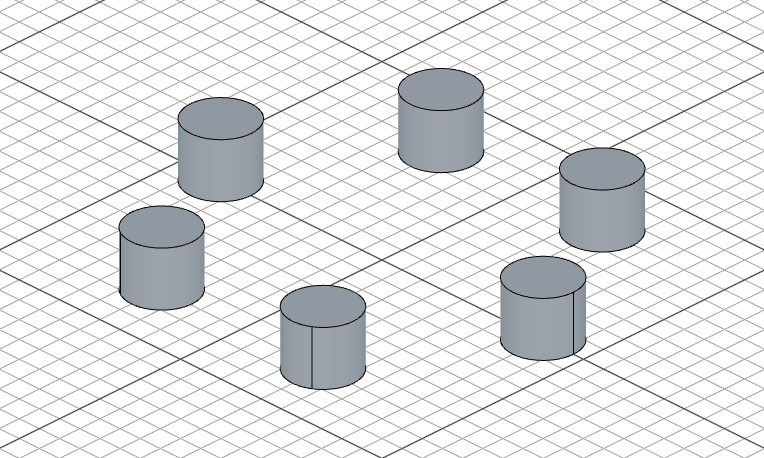
Options:
count— total number of instances (including the original)angle— total angle to spread across (default: 360)skip— indices to skip
copy() duplicates the finished shape. If you need to re-apply a modeling operation (like a cut or extrude) at multiple positions — so it interacts with the underlying solid at each location — use repeat() instead.
copy() called inside sketch(...) duplicates sketch geometry rather than solids, and circular copy takes a 2D center point instead of an axis. See the 2D Transforms guide.