Loft
loft() creates a smooth transition between two or more sketch profiles on different planes. It's useful for shapes that change cross-section along their length.
import { sketch, loft, plane } from 'fluidcad/core';
import { circle, rect } from 'fluidcad/core';

const s1 = sketch("xy", () => {
    circle(100)
})

const s2 = sketch(plane("xy", { offset: 100 }), () => {
    rect(80).centered()
})

loft(s1, s2)
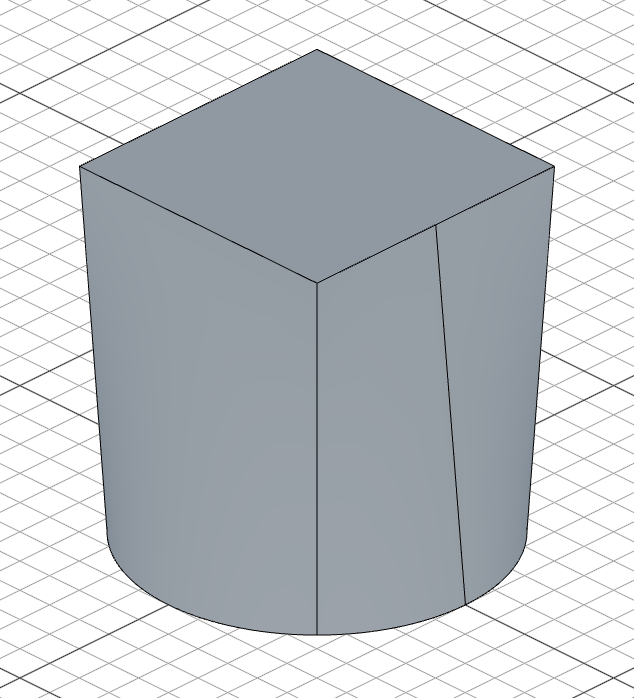
Multiple profiles
You can loft through more than two profiles:
import { sketch, loft, plane } from 'fluidcad/core';
import { circle, rect } from 'fluidcad/core';

const s1 = sketch("xy", () => { circle(100) })
const s2 = sketch(plane("xy", { offset: 50 }), () => { rect(60).centered() })
const s3 = sketch(plane("xy", { offset: 100 }), () => { circle(40) })

loft(s1, s2, s3)
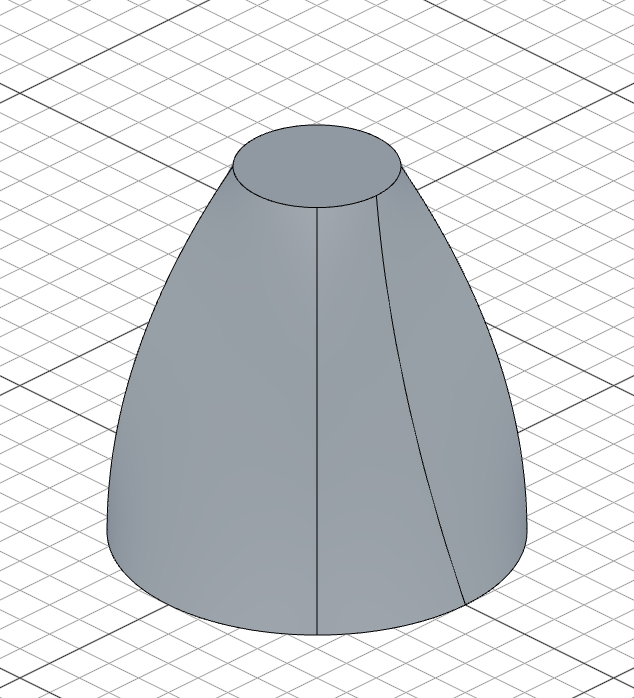
The profiles must be on different planes (typically parallel planes at different offsets).
Guide curves
.guides() adds side rails the transition surface must follow. Pass one or two open curves; each guide has to pass through every profile. A single sketch may carry several guide curves (for example a curve and its mirror()) — each connected curve counts as one guide:
import { sketch, plane, loft, polygon, circle, bezier, mirror, local } from 'fluidcad/core';

const p1 = sketch("top", () => {
    polygon(4, 50, "circumscribed")
})

const p2 = sketch(plane("top", 80), () => {
    circle(30)
})

// One sketch, two rails: the bezier and its mirror each count as one guide
const g1 = sketch("right", () => {
    bezier([Math.sqrt(2) * 25, 0], [50, 40], [15, 80])
    mirror(local("y"))
}).reusable()

loft(p1, p2).guides(g1)
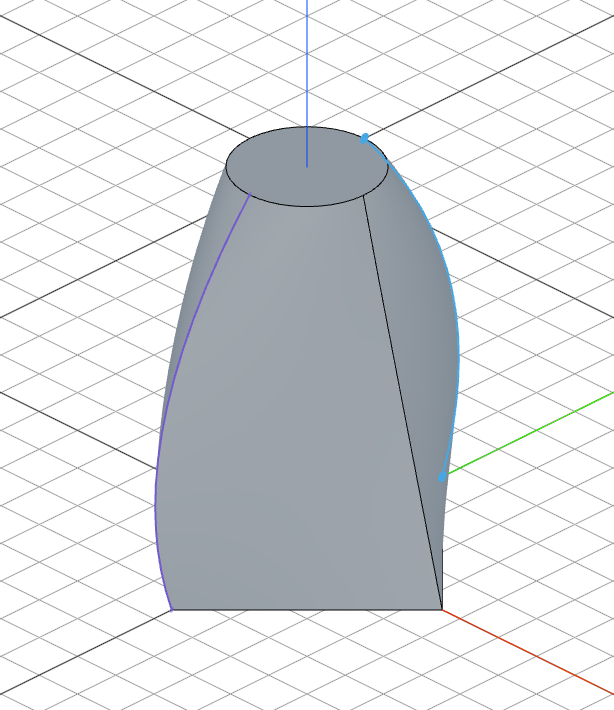
Here the bezier and its mirror form two rails; the square's corners ride them all the way up to the circle. Guides can also be passed as separate arguments:
loft(p1, p2).guides(rightRail, leftRail)
Guides compose with start/end conditions: the condition fades out around each guide's contact point, so the rails keep their sides of the surface while the condition shapes the rest. Guides cannot be combined with .thin().
loft(p1, p2).guides(g1).startCondition('normal')
Start and end conditions
.startCondition() and .endCondition() control how the surface leaves the first profile and arrives at the last one:
'none'— no constraint (default)'normal'— the surface takes off perpendicular to the profile plane'tangent'— the surface takes off inside the profile plane, bulging outward
import { sketch, plane, loft, polygon, circle } from 'fluidcad/core';

const p1 = sketch("top", () => {
    polygon(4, 50, "circumscribed")
})

const p2 = sketch(plane("top", 80), () => {
    circle(30)
})

// The surface leaves the square and arrives at the circle perpendicular
// to their planes, swelling the transition outward
loft(p1, p2)
    .startCondition('normal', 1)
    .endCondition('normal', 1)
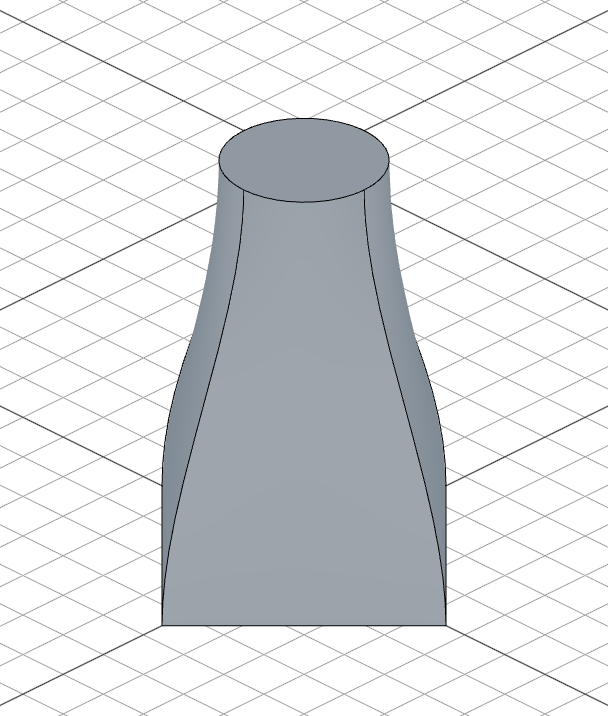
An optional second argument scales the takeoff strength (default 1). Negative values flip the direction — a 'tangent' condition with a negative magnitude pinches inward instead of bulging:
loft(p1, p2).startCondition('normal', 2)     // stronger perpendicular takeoff
loft(p1, p2).endCondition('tangent', -0.5)   // gentle inward pinch at the top
loft(p1, p2).startCondition('normal')        // conditions can differ per end
          .endCondition('tangent')
Conditions require closed profiles and work with .thin() (both walls follow the condition).
Thin loft
.thin() offsets the profile edges on each section to produce a thin-walled shell instead of a filled loft:
import { sketch, loft, plane } from 'fluidcad/core';
import { circle, rect } from 'fluidcad/core';

const s1 = sketch("xy", () => {
    circle(100)
})

const s2 = sketch(plane("xy", { offset: 100 }), () => {
    rect(80).centered()
})

loft(s1, s2).thin(5)
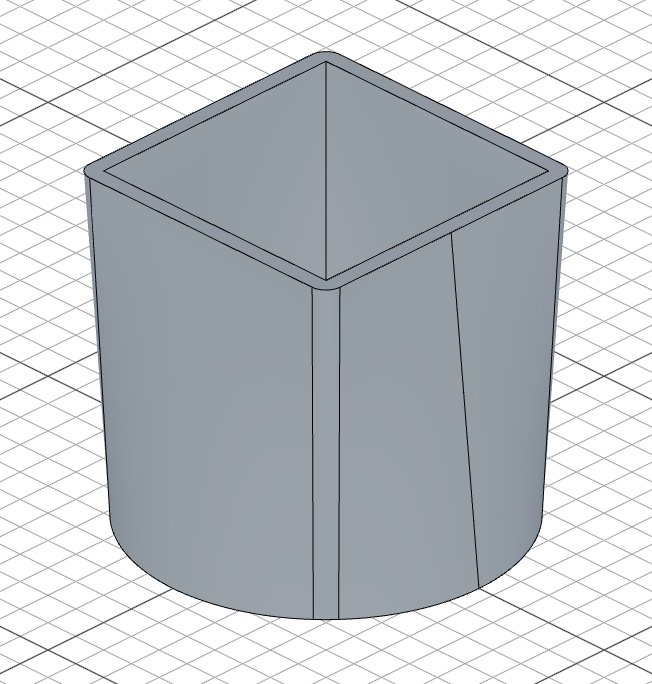
loft(s1, s2).thin(5)     // 5 units outward
loft(s1, s2).thin(-5)    // 5 units inward
loft(s1, s2).thin(5, -3) // dual offset
All profiles must be sketches with matching topology (same number of wires).
Accessing geometry
const l = loft(s1, s2)

l.endFaces()       // face at the last profile
l.startFaces()     // face at the first profile
l.sideFaces()      // the transition surface(s)
l.endEdges()       // edges at the last profile
l.startEdges()     // edges at the first profile
l.sideEdges()      // edges along the sides
l.internalFaces()  // inner wall face(s) of a thin loft (closed profiles)
l.capFaces()       // cap face(s) of a thin loft (open profiles)
Fusion scope
loft(s1, s2).new()             // create a separate solid
loft(s1, s2).add()             // fuse with touching solids (default)
loft(s1, s2).remove()          // subtract from all intersecting solids
loft(s1, s2).remove().scope(box)  // subtract only from the box