Appearance
.appearance(id) gives a part a look: wood, steel, brass, rubber — a physically-based material the viewport shades its bodies with, reflections included. It is a chain on the part() statement, next to .name() and .material().
The code behind it
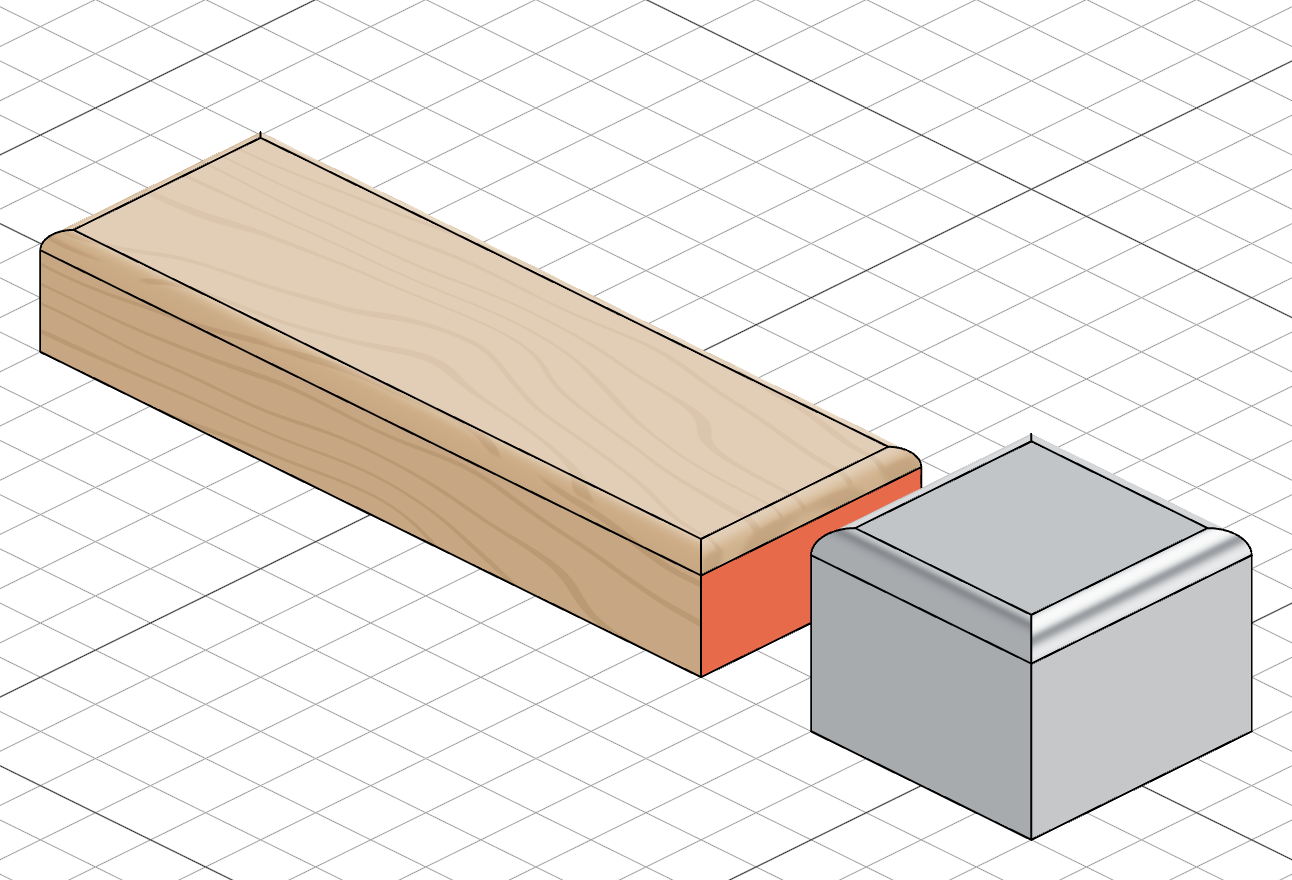
The board is drawn as oak, its grain running along the length; the block beside it as polished steel. The board's end face is painted with color() and keeps its flat colour over the wood.
import { part, sketch, line, extrude, fillet, color, select } from 'fluidcad/core';
import { face } from 'fluidcad/filters';
import { coincident, distance, fix, horizontal, vertical } from 'fluidcad/constraints';

// A 120 × 40 × 18 board. The appearance is a chain on the part() statement
// — Set appearance… on the timeline row writes it — and the viewport draws
// the board as oak, grain running along its length.
export const board = part('Board', () => {
    sketch('xy', () => {
        const b = line([-60, -20], [60, -20]);
        const r = line([60, -20], [60, 20]);
        const t = line([60, 20], [-60, 20]);
        const l = line([-60, 20], [-60, -20]);
        coincident(b.end(), r.start());
        coincident(r.end(), t.start());
        coincident(t.end(), l.start());
        coincident(l.end(), b.start());
        horizontal(b);
        horizontal(t);
        vertical(r);
        vertical(l);
        fix(b.start(), [-60, -20]);
        distance(b.start(), b.end(), 120);
        distance(r.start(), r.end(), 40);
    });
    const e = extrude(18);
    fillet(3, e.endEdges());
    // Paint is the override: the end face keeps its flat colour over the oak.
    select(face().onPlane('yz', 60));
    color('tomato');
}).appearance('oak');

// A 40 × 40 × 30 block beside it, drawn as polished steel.
export const block = part('Block', () => {
    sketch('xy', () => {
        const b = line([80, -20], [120, -20]);
        const r = line([120, -20], [120, 20]);
        const t = line([120, 20], [80, 20]);
        const l = line([80, 20], [80, -20]);
        coincident(b.end(), r.start());
        coincident(r.end(), t.start());
        coincident(t.end(), l.start());
        coincident(l.end(), b.start());
        horizontal(b);
        horizontal(t);
        vertical(r);
        vertical(l);
        fix(b.start(), [80, -20]);
        distance(b.start(), b.end(), 40);
        distance(r.start(), r.end(), 40);
    });
    const e = extrude(30);
    fillet(4, e.endEdges());
}).appearance('steel');
An appearance is a look, not a substance. .material() says what a part is made of — its density, for the mass Shape properties computes — and .appearance() how it is drawn. They are independent: a 3D-printed part can be measured as PLA and shown as oak, and a part with an appearance and no material still has no mass.
In the viewport
-
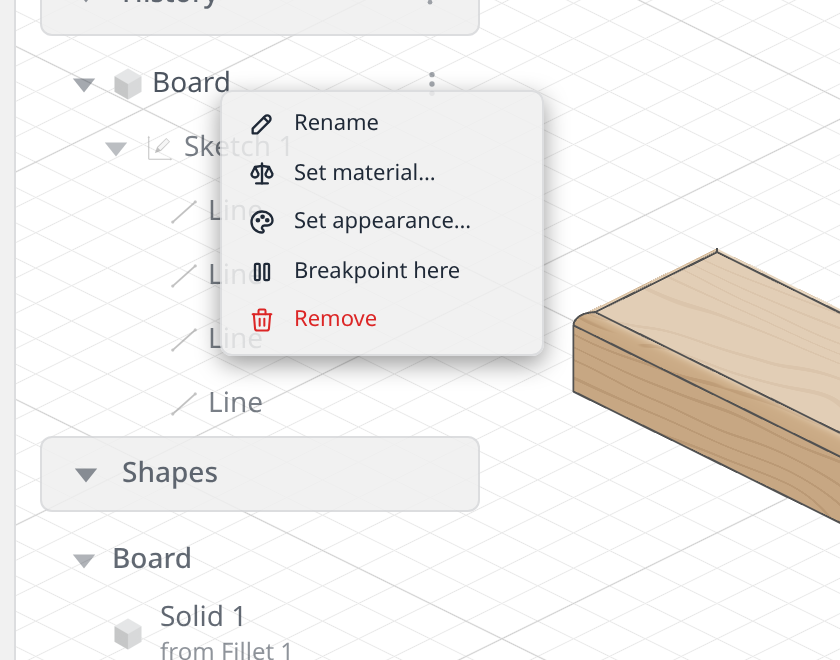
Click the ⋮ button at the right edge of the part's row in the History panel (or right-click the row) and choose Set appearance….
-
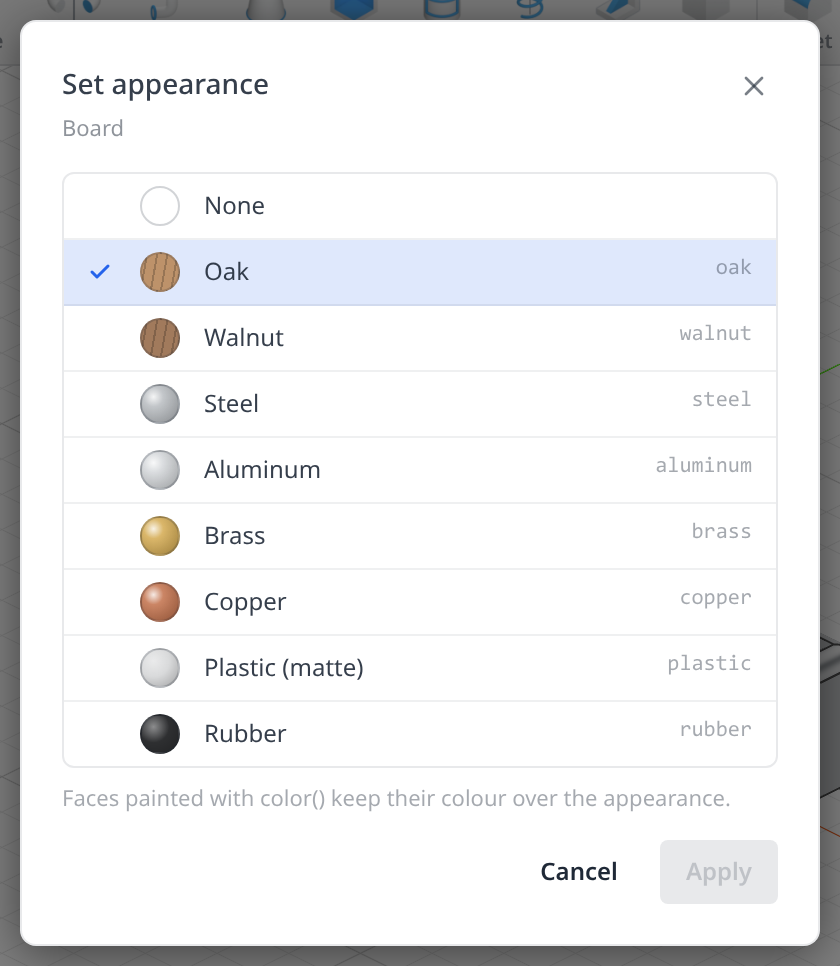
The Set appearance dialog lists the built-in appearances with a swatch each; the part's current one is checked, and None removes it. Click a row and Apply (or double-click it, or press Enter).
-
FluidCAD writes
.appearance('<id>')on thepart()statement — replacing the id if the chain is already there — and every solid of the part takes the look on the next render.
The appearances
| Id | Look |
|---|---|
oak | A light, warm wood. The grain is computed, not an image: stripes run along the body's longest extent, the end faces show rings, and it is continuous across faces and seamless at every edge, sized in real millimetres whatever the document unit. |
walnut | The same grain on a darker brown. |
steel | A polished grey metal. |
aluminum | A lighter, softer-sheen metal. |
brass | A warm yellow metal. |
copper | A red-brown metal. |
plastic | A matte, light grey dielectric. |
rubber | A near-black, fully matte surface. |
An id outside this list is a warning, not an error: the part builds and is drawn plain, its row carries a warning triangle (hover it for Unknown appearance: <id>), and the dialog shows the id as a checked, unpickable row until another is picked.
Colour overrides appearance
A face painted with color() keeps its flat colour over the appearance — paint is the override, so an oak shelf with color('tomato', top) shows a tomato top on an oak body. Painting a whole object (color('red', e)) covers every face, and the appearance shows nothing until the paint is removed.
What it does not touch
The appearance is display only: it changes no geometry, no mass, and no export. STEP files carry the colours but not the appearance. Parts without one — and every solid outside a part — are drawn as they always have been.